Monthly Archives: February 2008

JotSpot Has Been Relaunched As Google Sites

I will go play this evening and post about it tomorrow!

Greetings!

We’re contacting everyone who’s expressed interest in learning of
JotSpot registration re-openings on the JotSpot website. And
today, we’re excited to announce that JotSpot is working on Google
infrastructure and has been re-launched as Google Sites.

Google Sites is the latest offering from Google Apps, a suite of
products designed to improve communication and collaboration
amongst employees, students, and groups. Google Sites makes
creating a team web site as easy as editing a document. You can
quickly gather a variety of information in one place — including
videos, calendars, presentations, attachments, and gadgets — and
easily share it for viewing or editing with a small group, their
entire organization, or the world.

To get started with Google Sites, you’ll first need to sign up for
the Google Apps edition that’s right for you (if you’re not
already a Google Apps user). Start the sign-up process at:

http://sites.google.com

Sincerely,

The Google Apps Team
Google Inc.
1600 Amphitheatre Parkway
Mountain View, CA 94043

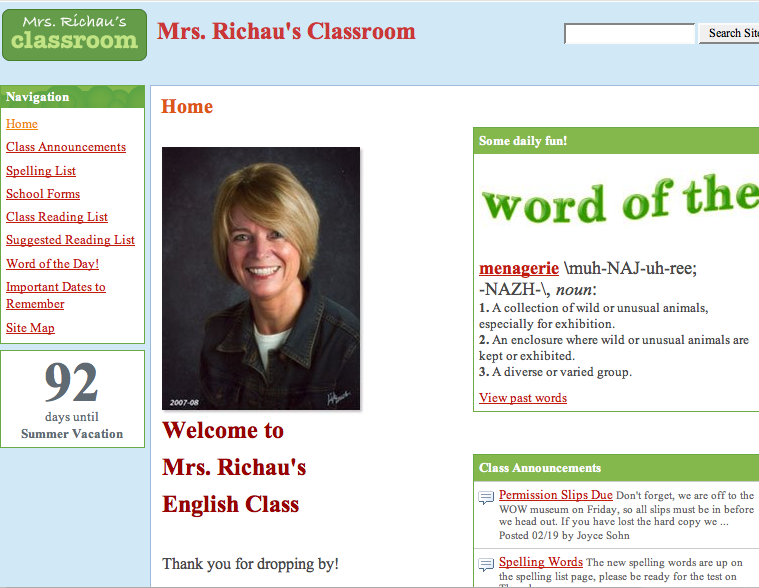
Below is an example of a classroom page created in Google sites. You can customize, use their templates, upload up to 10 mb files with 10 gb of storage. Since Google sites is integrated with other google products you can embed slideshows, video, spreadsheets and calendars into you page. One more piece of the Google World Dominance plan!
googlesiteseg.jpg

Ten Things You May Not Know About PowerPoint

  1. You can put single words in separate text boxes and animate them
  2. You can insert an autoshape and then have your text wrap within the shape
  3. You can decide if the animation should start after the preceding action or wait for you to click a mouse or presenter, or set the timing
  4. You can have more than one object animated on a slide
  5. You can add shapes and pictures and move them on top of or under other items like a stack of pictures and words by arranging/send to back or bring to front
  6. After you choose an animation you can click the effect tab and make the text change color, play a sound, appear a word or a letter at a time
  7. the effects tab will also let you group to second level paragraphs to give you more control of how bulleted lists appear (called a build)
  8. have a chart appear on the slide, one element at a time
  9. add buttons or pictures that let you navigate around your slideshow. You decide what gets clicked and where it sends you
  10. Draw comic book type illustrations using the lines in the autoshapes menu and fill shapes with gradients to give the illusion of shading

QuarterLife

I watched Quarterlife on television tonight. I had already seen it on MySpace and the Debut episode was the same as what had already been online. I think I liked it better when it was just online. I could put on my ear buds and work on a blog post while I watched a show online told front he point of view of a blogger.

It really is just a soap opera – same old story, different venue. Young people, angst with blogging thrown in. Yada yada yada. I had hoped for a little more. I’ll watch a few more times and give it a fighting chance

The narrator/blogger claims at first to be honest and driven to blog about what moves her which is really just her self-justification for telling her friends secrets online. She is not as open about herself and at the point in the plot where she makes the decision to put herself out there something happens that makes that piece of film end up in the trash bin.

I have often wanted to blog about something that happened during my day and couldn’t because it might hurt someone or cause problems at my job. I have for some time thought about starting a blog somewhere and being completely anonymous and telling stories that usually only get told in my head. I would disguise names and places.

Do you think it would be freeing? I think so. The things that happen in my life that are interesting or funny or sad, are usually things I can’t tell about here because most of the VERY SMALL group of people who read this blog would know immediately who I was writing about.

I don’t know that I will actually start a new blog but I will enjoy thinking about the personalities. I may try to write the debut post just to see if I can write something worthy of ‘blogging around”.

Computer Applications UIL

I started coaching for the first time this year and this is only the second meet we have competed in. I have two students and one went with me to the last meet. While she didn’t place this time she made a huge improvement from the last time. My other student got her first introduction to the real thing today and I expect she will improve as well.

It has been a learning experience for me as well. This year coaches are required to grade after the meet and I think this is a very good thing. I have learned more during the grading about how to help my students do better than any other time. Both my kids are seniors so I will start over next year, but with more knowledge and confidence. Every meet we attend I learn more and we get a copy of that test to take with us so we will build up a bank of practice material.

I am trying to work through all the tests I have that are from last year. If I can do it, I can explain it. If you are not familiar with this event, the student is given a test that may consist of a Word document, and Access database, and an Excel spreadsheet. You may have to embed a spreadsheet in a memo, or import data into a document to complete a mail merge. There will more than likely be functions involved too.

Computer Applications seems to traditionally be an early event and I was up at 5:30 this morning but we were home by noon so I am now getting ready to turn in.

It’s nice to see progress even if it isn’t a win. At least we are headed in the right direction!

PowerPoint Can Be Artistic? Poetic? Pretty???

Frame 1

Take a look at this site – a teacher wants her class to do a project like this – can we put together some instructions?

Sidebar – whoa this is cool! I am loving this.

Frame 2

A little playing, a little tweaking, some typing and some screenshots and yes we can do this! This is fun and creative and the students will take it and run!

Frame 3

Some explaining – this is how, this is where, be creative – think! not just about the bells and whistles; the bells and whistles have to enhance the symbolism in the text.
Think about the poem, put some words in separate text boxes. Animate them, use color, movement, sound and pictures to SHOW the poem!

Frame 4

Next day student asking will I be there that afternoon – this is confusing. Sure, we talk about the poem (she was stuck – how to animate a poem about sleep)

Frame 5

Student using all the elements – beautiful! Walking around helping, add a few seconds, try this and that. Go sit down – get out of the way. They are the artists!

If you are creating – you are learning. I’m learning, they are teaching me!
They are making a new piece of art!

There will be some tutorials coming up!

TCEA 2008 Let’s Go on a Writing Safari! Paula Alsup and Missi Downs

I didn’t get to attend this presentation – it was one of those time-slots when I needed a few clones to attend several sessions at the same time. Through the magic of technology I can still hear and “see” the presentation! After “attending” online I am very excited about the real event!

If you will go to Mrs. Alsup’s web presence there is a link on the sidebar to 2008 TCEA Presentation which will let you download the entire PowerPoint. You can view the PowerPoint and listen to the presentation at the same time -there is also a Podcast online – just click this link and put on your headphones – the Podcast lasts about 40 minutes. Writing Safari Podcast

Three Words

This post has two purposes. I am trying out a plugin that lets me finally embed youtube videos here. I also want to share this video as a great idea for a class project. It could be themed according to any subject and filmed in pieces at different times and then put together later.

Three Words
http://www.youtube.com/watch?v=qO0jovLVPA8&feature=related

If you do a YouTube search on Three Words you will find many versions and each as some very creative and powerful segments.

thanks to Mark Ghosh for the embedify plugin that allowed me to finally embed the video!!

T.G.I.F

Today is going to be a journal kind of entry – it has been a long day and I am so very glad it is FRIDAY!

Dale went to his appointment at the transplant center by himself today for the first time and everything went well. Two of his meds have been lessened which is always a wonderful thing and he had gained two pounds. We are two and a half months out from transplant and he has just been maintaining his weight for the last month and a half so this is a great thing. All his levels looked good except they want him to eat more phosphorus (beans, nut, cheese, milk, chocolate) because it is still a bit low, though better than last time.

My day was completely devoured by favors for other people, as was most of yesterday. The worst part is that those favors caused me to ask for help from others. It’s bad enough that I am unable to say no to people but when my inability spills over and becomes problematic for others then I truly start to wonder if I need therapy. There were some things I really needed to get done that were left hanging.
I have personally been guilty of asking for free computer work and I truly like to help people but today and yesterday were just insane and I really don’t know what to do about it. The worst was that someone was just plain rude when I was unable to complete work on a personal computer because I was having complications on work computers. I was angry when I left, got angry again as I thought about it on the way home.

I feel a bit better since I have banished that person from the earth. They now live in another dimension where they cannot be seen or heard except as though they are deep under water. Everything is distorted and difficult to understand which is how I prefer it. I think there were speech bubbles over my head that said what I was thinking (and couldn’t say out loud!) but only my friend could see them.
Maybe after the weekend the banishment can end but maybe not. I wonder if time is different there. Maybe a two day weekend here seems like a thousand years there……(insert immature evil laugh)

I need to work on priorities and saying NO but for now I think I will just enjoy my weekend – after all, it will go by quickly!

Commercial Break – Eating in Austin

I have more TCEA notes to post but thought it would be fun to take a little time out to tell you about some great places to eat in Austin. I’ve been fortunate to travel there with a friend and colleague who lived in Austin and ever meal is an adventure!

Here are some of my favorites!

**** Flip Happy Crepes

Serving delicious hand-made savory crepes, sweet crepes, and Saturday breakfast crepes. To compliment we serve fresh French pressed coffee and other assorted beverages.

Location:
400 Jessie Street
Austin, TX 78704

Hours:
Wed – Fri 10:30am – 2:30pm
Saturday 9am – 3:00

I had roasted chicken, mushrooms, gruyere, carmelized onions and my friend and I shared a dessert that was crepes with Nutella and bananas. They also have veggie crepes if you like.
Flip Happy is a little Airstream trailer where you place your order, retrieve your beverage from a cooler sitting in front, and sit at a picnic table under the trees to eat.

The food is incredible and it is located right next to the trailer park where Matthew Mcconaughey keeps his trailer. Who knows – you might get a peek!

**** If you are “rumbly in your tumbly” there is a wonderful place to satisfy the growlies – freddie’s. There is a playground outside for the kids and dogs are welcome.

I ordered the texitarian portabellas – 2 large portabella mushroom caps handbreaded and deep fried to a golden brown with cream gravy. Add to that garlic smashed potatoes and spinach-artichoke casserole and it was heaven! The portions are huge, the atmosphere definitely South Austin. WWFD (What Would Freddie Do) – whatever his wife tells him to do!

**** Another great place is the Magnolia Cafe. The specialties are omelets and pancakes. There are all kinds – they are all good, the portions are huge and come with cottage fries – yum!

**** After you have filled your tummy with Austin goodness you can stop and have coffee at Mozart’s (and dessert if you have room left) There is a plethora of wonderful desserts to choose from including cheesecakes, cobbler, tiramisu and enough chocolate to make you want to cry.If they are roasting beans when you arrive there the aroma will greet you in parking lot. If the weather is nice you can sit out on the deck with your coffee and enjoy the weather and view of the lake. There is free wireless and often entertainment. Mozart’s is one of my very favorite places in Austin.
3825 Lake Austin Blvd.
Austin TX 78703
512 477 2900

Developing an Exemplary Writing Program with Digital Storytelling 8740

Presenter Shaunna Buck

The best parts of this session for me were the student presentation examples. It was truly exciting to see the quality.

7th grade writing program meant to grow beyond writing well enough to pass
Develop writing portfolio
Folders for
Rough drafts
Final drafts
Favorites
Reflective place – higher order thinking

“Be yourself. Above all, let who you are, what you are, what you believe, shine through every sentence you write, every piece you finish.” John Jakes

Collections and reflections
Organizational pattern akin to true writer’s notebook
Student’s papers that received a “4” were blown up poster size, a picture sometimes added, laminated and put up on the hall wall
Student’s goal became creating a “wall worthy” paper
Slowed the traffic pattern in the hall but it was kind of hard to get on to a student who was slow moving when the reason was that they were reading.
Reaction “ so and so’s up there?? How did they get a paper up there??”
Students no longer convinced that their first draft is their best work”
Motivation through competition

Students recorded reading their papers using audacity then uploaded as podcast

Incorporated Photostory 3 video to create digital stories enhanced the program
“Photostory like PowerPoint on speed”
Easy to learn and use
Students were motivated to rewrite

“Revision no longer a dirty word”
“Public recognition key”

Public presentation skills – students who were not comfortable getting up in front of class presenting had success in a room alone recording.

Save ppt slides as jpeg and import into Photostory, add music and audio – insert
Reading students used their class novel
Project – two word sentences – subject,verb – subject verb
Great for inclusion kids

Student went to district – made people cry
Photostory presentation about mom being killed in a car wreck – not true just a story but made me cry anyway
“if you make people cry you almost always get a 4!”

Think about their writing visually

Project – study origin of their name – not just definition but what it means to them, who they are.
Beyond thinking literally

Planning
Digital camera to make their own pictures , google images, scans
discussion about copyright
template for storyboard (looks like filmstrip)
require storyboard and script

Note what images go where
Import pictures into photostory
They used the headphones with mic attached
Pairs – one to talk, the other to click buttons, then they switch places
Photostory has a lot of built in music clips
Resource : freeplaymusic.com

Suggested book “Mechanically Inclined” Jeff Anderson

TCEA 2008 Crispen’s Guide to What’s New and What’s Next 8934

Patrick Crispen takes a sneak peak at what’s just over the horizon. Site: http://www.netsquirrel.com

Thanks to my guest Paris ISD teacher Nancy Bratteli for these notes on the session! This presentation was lightening fast and fun – I was scribbling so fast I could barely read my writing!
Polaroid Zink printer – zero ink – thermal, permanent, $149, about 30cents/print, available 12/08

new hard drives; SSD SATA 5000 1.8” 72GB; uses about 5% of the power of old drives; in 5 years, all will be this way; no spinning platters, less hard drive crash

USB3 is on the way; uses fiber optic cable, ridiculously fast (10X faster than 2)

Wireless USB (short range – speed relative to distance); Belkin has one now;
connects device to device

Eye-Fi SD memory card 2GB for camera; available now for $99; card transfers pics wirelessly to computer, filesharing sites, automatically

802.11n – (IEEE—guys who set global standards) new version of wireless coming April 2008; 540 megabits/sec; look for DRAFT 2.0 (some products out too early)

WiMax (802.16) metro area network – 70 mb/s;
it will be everywhere like cell phone service?

RFID – now in all U.S. passports (concerning?), toll tags, etc.; in 5 yrs. will replace bar codes

LEDs – last so long they will replace light bulbs in 10 yrs.

OLED see how stuff works for explanation – organic light-emitting diodes; bright, thin displays on electronic devices using less power

Recordable media – as of January, Blu-Ray has won, HD is gone

AACS – Advanced Access Content System – if signal is broken anywhere (hacked), may not play HD in the future

Distributed Computing – e.g., PS3 folding at home

508v2 and WCAG 2.0 – Web Content for Accessibility (504s)

IPv6 – new system large enough to assign an address for every atom in the body of every person on earth

Presentations 2.0 – Crispen used today; cleaner alternative to PPT

TV – original color standard set in the 1950s; showed great diagram of difference between interlaced and progressive signals; 1080p is gold standard, but nobody does it; digital-to-digital connections: cables aren’t important, so get cheap ones (good cheap source: monoprice.com) (get converter box vouchers for schools!)

Also posted at PHS computer Project Lab

Dynamic Powerpoint – Beyond Basics By Cindy Cohen 8035

This was a good session that gave some basic common sense tips on using PowerPoint.

Why would we want to use it (well)?
• This generation has little tolerance for delays or mistakes in delivery of information
• It’s an easy way to get information across in a short time period

Caution:

  • Too much information – on each slide
  • Color choices (may depend on lighting in presentation location)
  • Can be “eye catching or eye watering”
  • Presentation often not test driven to catch problems

If well used can be extremely engaging

Tips:

  • Proof read
  • Don’t include all information
  • Practice test run
  • Don’t over-use the software in the classroom

Key – Keep the focus on the presenter

Start with the basics

  • Know your information
  • What are the key points or concepts
  • Make an outline (enter basic information on blank slides)
  • Order is important
  • Add relevant materials (diagrams, images, audio, video)

Consider approaches for presenting

  • How is the slide being used?
  • Ask a question on the slide (stop for discussion)
  • Break up with a related activity (stop presentation, do short activity, go back to presentation)

Adjust style elements (easy place to waste time)

  • Visual interest is key but remember to keep focus on the presenter
  • You can use WordArt to make notes on each slide to remind you of details, changes, and additions – what needs to be done to each slide
  • Do test run
  • Prepare your oral presentation (this is the part that many people omit!)
  • To prepare you can take your original outline and print it out or print slide handouts.
  • 3 slides to a page and you can have lines on the right side for notes

Presentations without a presenter

  • Podcast presentation
  • Save each slide as a jpeg
  • Insert into MovieMaker
  • Create audio voiceover using Audacity put together audio and movie – Podcast

*They did a Distance Learning Day at Good Shepherd. They submitted lesson plans, students stayed home and did assignments via internet. This type of podcast presentation was part of her lesson.

Keeping Up with the Googlebots: What’s New at Google (Patrick Crispen) 8940

If you go to TCEA 2008 and click on Sessions and Workshops, list free sessions you will see the entire list and the session I attend will have the session number in the post as well.  You will be able to look for handouts there in a few weeks.

I like Patrick Crispen’s presenting style.  He starts on time, tells you what he will cover, moves through the presentation like an east Texas wind.  Before you know it he is saying we have to hurry because there are only three minutes left, ties is all up and sends you out as the next group comes in.  He must have an incredible amount of energy or sleep for a week after a conference like this.

His website is NetSquirrel and if you go there and click on PowerPoint Presentations on the side you will have access to all his handouts.  They are licensed under Creative Commons (he was the first person I heard even mention Creative Commons yesterday) so you are free to download his material. The presentation for this session will be udated in a few days.
Some new things I learned yesterday:

  • Google free business directory assistance 1 – 800 – 466 – 4411
    • Voice, directions, maps on your cell phone.  Google wants to do voice search – this is there start at getting voices saying words
  • Google Notebook now datestamps your entries
  • Google.com/educators has added discovery videos

This morning I found a new little snippet in my reader about Google docs – they have added a new little tool. When you share a spreadsheet you now have three choices – collaborator, viewer, and now “to fill out a form”. You can create a form in Google spreadsheets, share it with people and as they respond to the form, the data is automatically added to your spreadsheet.

Arrival In Austin

We have arrived in Austin after a deluge near Sulphur Springs. We made a potty and Starbucks stop and ate supper at Freebird’s.

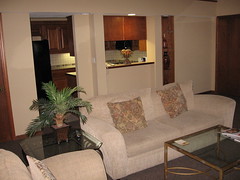
We got to the Omni and there was a mistake so they didn’t have a double occupancy room and they ended up putting us in a suite. suite This room is a smoking room so there is a bit of a smell (the ex-smoker said a bit sarcastically) but it has two full bedrooms, three baths, two walk-in closets, a spa tub, a kitchen, two balconies, a bar, and three tv’s. We had to use our room key just to get on the right elevator. Not too shabby for a couple of country girls. They are supposed to move us tomorrow but we wouldn’t complain if they just left us alone.
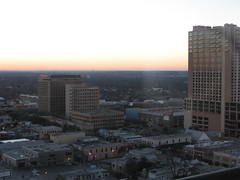
view from 17th floorWe took a walk down on Sixth Street just to see what it’s like on Fat Tuesday. We found Mardi Gras beads, tons of people, a group of drummers in a circle playing in the street, music pouring out of the doorways and children dressed like grown-ups. There were grown-ups acting like children, a street artist using spray paint to create fantasy spacescapes, an Irish pub where a man was playing and singing country music, police on foot, horseback, and bicycle and an atmosphere of friendly fun. I don’t know if that atmosphere remained later in the night because we headed back up to our hotel to rest up for our first morning at the conference.

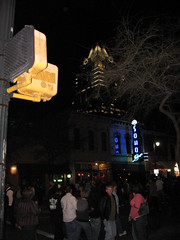
sixth streetAddendum – First day was fun – I learned a lot and as soon as I get notes typed I will start adding them to the blog so keep checking back!!